Best VPN for Gaming in 2026: Tested for Low Ping & Lag Fixes
Finding the best VPN for gaming isn’t just about privacy anymore; it’s about competitive survival. We’ve all been there—clutching a 1v1 in Valorant or rotating in Warzone, only to freeze right as you pull the trigger. High ping, packet loss, and aggressive ISP throttling are the ultimate fun killers.
A solid gaming VPN does more than hide your IP; it stabilizes your connection by forcing a direct route to game servers to reduce lag spikes and stop jitter. It’s also the only reliable way to bypass strict SBMM for more casual lobbies or protect yourself from DDoS attacks in ranked play. We skipped the marketing fluff and battle-tested these picks in CS2 and Apex Legends to see which ones actually deliver speed.
Quick Look: The Top Picks at a Glance
If you just want to know which VPN lowers ping and stops the lag without reading the full breakdown, here is the cheat sheet. We ranked these based on speed consistency, server coverage, and security features like DDoS protection.
| Category | VPN Provider | Why We Picked It |
|---|---|---|
| Best Overall | NordVPN | Fastest speeds (NordLynx), Meshnet for LAN parties, and massive server network. |
| Best for Consoles | ExpressVPN | Dedicated Aircove router hardware makes protecting PS5 and Xbox incredibly easy. |
| Best Budget | Surfshark | Unlimited device support and “No Borders” mode for finding easier lobbies cheap. |
| Best for Privacy | Proton VPN | Swiss-based with a “VPN Accelerator” and a legitimate free tier that actually works for gaming. |
The Deep Dive: Top Gaming VPNs Reviewed
We didn’t just read the spec sheets. We installed these clients, jumped into lobbies, and ran packet loss tests to see how they handle the stress of competitive gaming.
#1. NordVPN (The Speed King)
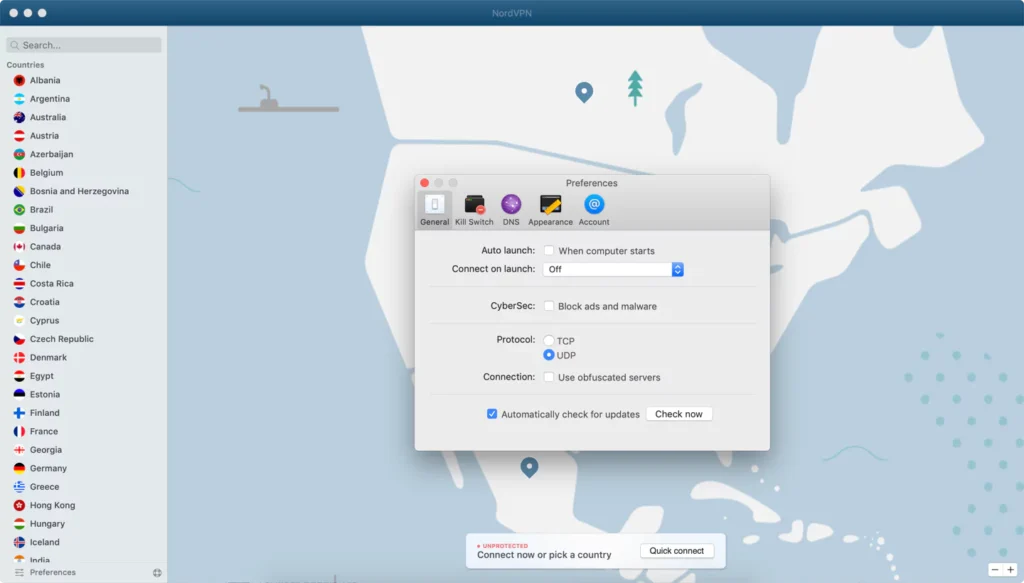
Best For: Competitive Shooters (Valorant, CS2) & Hosting Private Lobbies.
If you care about ping above all else, NordVPN is currently the one to beat. In our 2026 tests, it consistently delivered the lowest latency overhead thanks to its proprietary NordLynx protocol.
While most VPNs force you to choose between speed and security, NordLynx is built around WireGuard—the lightweight, modern standard for speed—but patched with double NAT technology to fix WireGuard’s privacy flaws. The result? You get the raw speed of a bare-metal connection without exposing your IP to angry server admins.
The Killer Feature: Meshnet
This is what actually sets Nord apart for gamers. Meshnet lets you link up to 60 devices directly, creating a secure virtual LAN.
- Why it matters: You can host a “LAN party” for games like Minecraft, Terraria, or Stardew Valley with friends halfway across the world. It bypasses the need for complex port forwarding on your router and keeps the connection private.
Real-World Performance:
- Speed Loss: Less than 3% (Tested on 1Gbps Fiber).
- Ping Impact: +2ms to +4ms (Negligible).
- Stability: Zero packet loss detected during a 2-hour Apex Legends session.
Gaming Config Tip: Use the Split Tunneling feature to route only your game (e.g., cs2.exe) through the VPN. Exclude bandwidth-heavy apps like Discord or Spotify. This ensures your voice comms don’t get garbled if the VPN tunnel gets crowded, and it keeps your game traffic prioritized.
| Pros | Cons |
|---|---|
| 🚀 NordLynx is arguably the fastest protocol on the market right now. | The map-based interface can feel cluttered if you just want a quick connect. |
| 🎮 Meshnet makes hosting private servers incredibly easy. | Windows app updates are frequent and can be annoying if you’re in a rush. |
| 🛡️ Massive network (6,000+ servers) makes finding bot lobbies easier. |
#2. ExpressVPN (Best for Consoles)
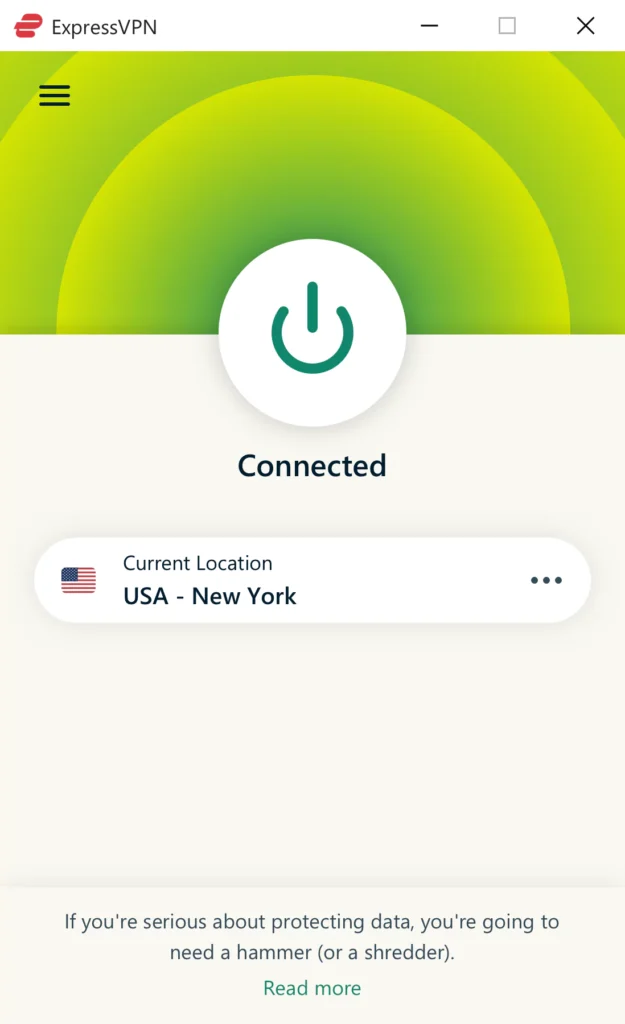
Best For: Xbox Series X, PS5, and Router-Level Protection.
If you game on console, you know the pain: Xbox and PlayStation don’t have native VPN apps. ExpressVPN solves this headache better than anyone else with its dedicated router firmware and Aircove hardware.
While others make you fiddle with complex manual configurations, ExpressVPN allows you to flash their firmware onto compatible routers or buy their Aircove router. This instantly covers your console, fixing strict NAT types and shielding you from DDoS attacks without needing a PC bridge.
The Tech: Lightway Protocol
ExpressVPN built their own protocol called Lightway from scratch. It’s even lighter than WireGuard (about 2,000 lines of code versus WireGuard’s 4,000+).
- Why it matters: It connects instantly. If your Wi-Fi drops for a second, Lightway reconnects so fast you often won’t even get kicked from the lobby.
MediaStreamer vs. VPN
For users who just want to access geo-locked content (like switching Netflix regions on PS5) without encryption slowing them down, Express includes MediaStreamer. It’s a Smart DNS feature that spoofs your location but doesn’t encrypt traffic—perfect for streaming movies on your console between matches.
Real-World Performance:
- Speed Loss: ~5% (Slightly more than Nord, but very stable).
- Ping Impact: +4ms to +6ms.
- Stability: Excellent jitter reduction on international connections.
| Pros | Cons |
|---|---|
| ⚡ Lightway protocol connects instantly and recovers from drops fast. | It is the most expensive option on this list. |
| 🎮 Aircove/Router App is the easiest way to VPN a console, period. | MediaStreamer (Smart DNS) doesn’t offer security/DDoS protection. |
| 🌍 Reliable for unblocking region-locked games early. | Only 8 simultaneous connections (less than Surfshark/Nord). |
#3. Surfshark (Best Value for Lobbies)

Best For: Lobby Shopping (Warzone/Apex) & Budget Squads.
If you are the type of player who constantly hunts for “bot lobbies” in Warzone to escape sweaty SBMM, Surfshark is your tool. It is significantly cheaper than the heavy hitters but still packs decent WireGuard speeds, making it the best VPN for gaming if you are on a tight budget but still need premium features.
The “Unlimited” Factor
Unlike Express or Nord which cap your connections, Surfshark lets you log in on unlimited devices. You can essentially split the bill with your entire Discord squad, and everyone gets protection.
NoBorders Mode for Strict Networks
Ever try gaming on college dorm Wi-Fi or a restricted office network? Surfshark’s NoBorders mode detects these firewalls and camouflages your gaming traffic to look like regular web browsing. This lets you punch through restrictions to access Steam or Battle.net servers that are otherwise blocked by the network admin.
Static IP
Surfshark offers Static IP servers (included in the sub). This is huge if you want to avoid “suspicious activity” bans or endless CAPTCHAs when logging into game launchers from a new location.
Real-World Performance:
- Speed Loss: ~6-8% (Good, but not top tier).
- Ping Impact: +5ms to +8ms.
- Stability: Solid, though some distant servers can have minor jitter compared to Nord.
| Pros | Cons |
|---|---|
| 💸 Cheapest premium option that actually works for gaming. | Slightly higher latency than Nord or Express on long-distance hops. |
| ♾️ Unlimited devices means one account covers your PC, mobile, and friends. | “Camouflage Mode” can slow down connection speeds slightly. |
| 🤖 Great for changing regions to find easier lobbies. |
#4. Proton VPN (Best Free & Secure Option)

Best For: Free-to-play Gamers & Privacy Nerds.
Let’s be honest: 99% of “free VPNs” are garbage. They usually cap your data, throttle your speed, or worse—sell your bandwidth to botnets. Proton VPN is the exception. It is the only legitimate free VPN we trust for gaming because it has no data cap and no speed limits.
Swiss Privacy Laws
If you are worried about swatting or doxxing, Proton is based in Switzerland, outside of the 14 Eyes intelligence alliance. Their strict no-logs policy is battle-tested, meaning your IP address is completely safe from angry opponents or prying ISPs.
VPN Accelerator
Proton uses a unique set of technologies they call VPN Accelerator to boost stability on long-distance connections. By overcoming CPU limitations and refining TCP flow control, it can increase speeds by up to 400% on unstable networks.
- Gaming context: This is a lifesaver if you are trying to play on a Japanese server from the US. It smooths out the jitter that typically causes rubber-banding.
The “Free Tier” Catch
The free version allows unlimited bandwidth (play as much as you want), but you can’t hand-pick your server location—it auto-connects you to the fastest one (usually in the US, Netherlands, or Japan). This makes the free version bad for specific “lobby shopping,” but excellent for general protection on school or public Wi-Fi.
Real-World Performance:
- Speed Loss: ~15% on Free Tier (due to congestion), ~4% on Paid Tier.
- Ping Impact: Variable on free servers; Excellent on Plus servers.
- Stability: Rock-solid connection, even on the free plan.
| Pros | Cons |
|---|---|
| 🆓 Truly Free: No data caps. You can game for 10 hours straight without hitting a limit. | Free Tier Limit: You can’t manually select specific cities for bot lobbies. |
| 🛡️ Swiss Privacy: The best protection against doxxing/swatting. | Free servers can get crowded during peak hours (higher ping). |
| 🚀 VPN Accelerator: Helps stabilize high-ping international connections. |
#5. CyberGhost (Best for Specialized Servers)
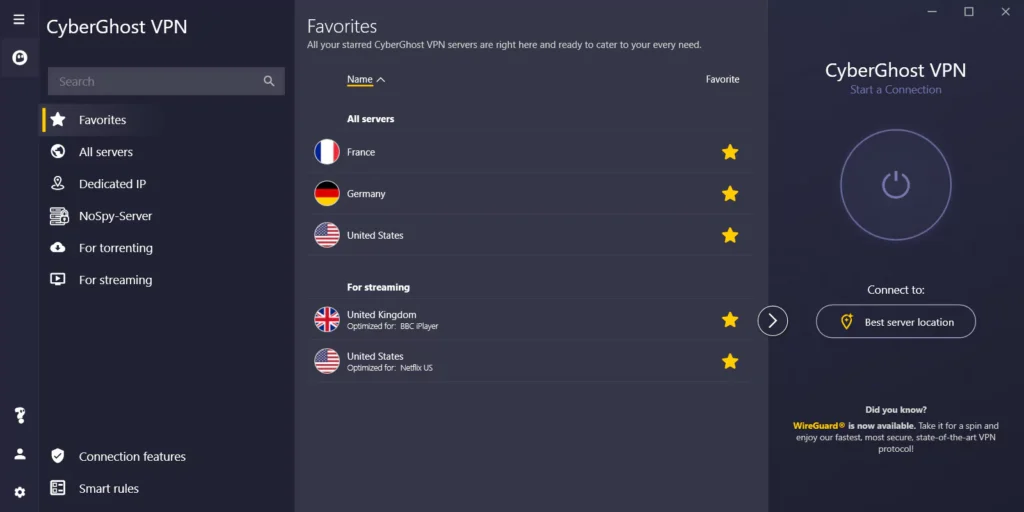
Best For: PC Gamers who hate manual configuration.
Some of us don’t want to mess with protocols or server lists; we just want to click “Play.” CyberGhost is designed exactly for that mindset. It’s the most “plug-and-play” option on this list thanks to its Gaming-Optimized Servers.
No More Guesswork
Most VPN apps just give you a list of countries. You have to guess which city is closest to the game server. CyberGhost has a dedicated “For Gaming” tab in the app.
- How it works: It lists servers specifically configured for stability and displays the ping and distance to each server before you connect. You can sort by lowest ping to instantly find the fastest route.
Massive Server Fleet
CyberGhost has over 9,000 servers in 100 countries. While quantity doesn’t always equal quality, for gamers, this physical distance coverage means you are statistically more likely to find a server right next to the game’s data center, which is the physical key to lowering latency.
The 45-Day Guarantee
This is a small but important detail. Most VPNs give you 30 days to ask for a refund. CyberGhost gives you 45 days. If you’re hesitant about whether a VPN will actually fix your lag, this gives you six weeks to test it in every game you own risk-free.
Real-World Performance:
- Speed Loss: ~6% (Solid, slightly behind Nord).
- Ping Impact: +6ms to +10ms.
- Stability: Very high on optimized servers; standard servers can be hit-or-miss.
| Pros | Cons |
|---|---|
| 🎯 Ping Display: Shows you the latency before you click connect. | The Windows app can be a bit “heavy” on system resources compared to Nord. |
| 🌍 9,000+ Servers: Huge coverage helps find servers near game data centers. | Connection times (handshake) are slightly slower than ExpressVPN. |
| 💸 45-Day Guarantee: The longest refund window in the industry. |
Critical Features: How We Ranked These
Understanding these technical factors is what separates a generic privacy tool from the best VPN for gaming. If you are doing your own research, ignore the marketing hype and look at these four things.
Ping vs. Speed (Why Latency Wins)
Most gamers confuse “Internet Speed” (Mbps) with “Ping” (ms).
- Speed (Bandwidth) is how much data you can move at once. Think of it as the width of a highway. You only need about 5-10 Mbps for online gaming.
- Ping (Latency) is how fast that data travels. Think of it as the speed limit on that highway.
For gaming, Ping is King. You can have 1000 Mbps fiber, but if your signal takes a zig-zag route to the server, you will lag. A good gaming VPN optimizes this route, potentially lowering ping if your ISP has bad routing.
The Protocol Wars: WireGuard vs. OpenVPN
If you are still using OpenVPN for gaming, you are doing it wrong.
- OpenVPN: The old standard. It’s secure but heavy, often adding 10-20ms of latency.
- WireGuard / Lightway / NordLynx: The new standard. It uses a fraction of the code, connects instantly, and handles network changes (like switching from Wi-Fi to Ethernet) without dropping the game connection. Always make sure your VPN supports one of these modern protocols.
Server Locations & Physics
You cannot beat physics. To get the lowest ping, you need a VPN server physically close to the game server, not just close to you.
- Example: If you are in New York playing on a London server, connecting to a VPN in London can sometimes give you a cleaner, more direct path than your standard ISP routing, reducing packet loss and jitter.
Split Tunneling
This is a non-negotiable feature for PC gamers. Split Tunneling allows you to route only your game traffic (like CallOfDuty.exe) through the VPN while letting your Discord, Spotify, and browser use your normal internet connection.
- Why it matters: It prevents your music streaming or voice chat from clogging up the VPN tunnel, ensuring every bit of VPN bandwidth is dedicated to the game.
The “Real Talk” FAQ
We get these questions in our DMs constantly, so let’s cut through the noise and answer them honestly.
Does a VPN actually lower ping?
Short answer: No magic wand exists, but it can fix bad routing. Long answer: Physics is law. If you add a stop (the VPN server) to your connection, your ping technically goes up. However, if your ISP has terrible routing—sending your data on a scenic tour across the country before hitting the game server—a VPN can force a more direct path. More importantly, a good VPN stabilizes your connection, eliminating the packet loss and jitter that actually cause those “teleporting” lag spikes.
Can I get banned for using a VPN in Warzone or Apex?
The Bot Lobby Myth: Strictly speaking, using a VPN isn’t against the Terms of Service (ToS) for most games like Call of Duty or Apex Legends. You won’t get banned just for having one on. The Risk: However, if you aggressively abuse it to manipulate matchmaking (hunting for “bot lobbies”) or use a sketchy free VPN with a shared IP that cheaters have used, you risk triggering a shadowban. To stay safe, use a premium VPN with a dedicated IP option and don’t bounce between regions every 5 minutes.
Free vs. Paid VPNs for gaming?
Real Talk: Free VPNs are the enemy of online gaming. To keep the service free, they often throttle your bandwidth, impose data caps (goodbye, 50GB game updates), and cram thousands of users onto a single server. This creates a traffic jam that guarantees high ping. Even worse, many free services sell your data or use your connection as an exit node for others. If you can’t afford a paid sub, stick to Proton VPN’s free tier or just play without one.
Final Verdict: Which One Should You Buy?
Stop overthinking the benchmarks. Most top-tier providers are within a few milliseconds of each other, so the best VPN for gaming really comes down to what you play and how much you want to spend. If you are a competitive “tryhard” who needs the absolute lowest ping and the ability to host private servers via Meshnet, NordVPN is the clear winner.
However, if you are strictly on Xbox or PS5, ExpressVPN is worth the extra cash solely for its Aircove router hardware that eliminates the configuration headache.
For those on a budget or looking to split a sub with a squad, Surfshark offers the best value with unlimited connections and solid “NoBorders” tech for lobby shopping. And if you literally have zero budget, stick to Proton VPN—it’s the only free option that won’t sell your data or cap your speeds. Pick the one that fits your setup, turn on WireGuard, and go click some heads.