5 Best Phone Coolers for Gaming in 2026: Stop the Lag and Save Your FPS
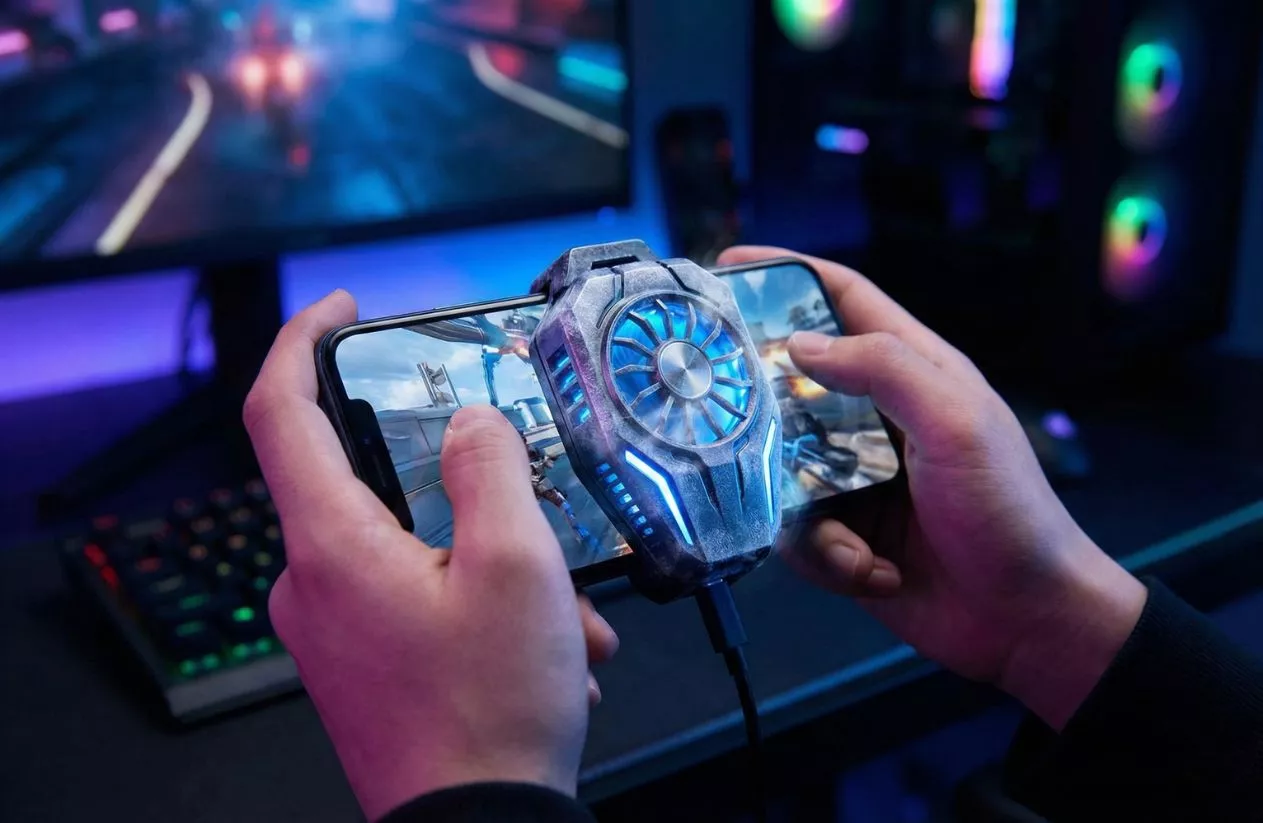
If you’ve ever been mid-match in Genshin Impact or Warzone only to feel your device turn into a literal pocket heater, you’ve met the enemy: thermal throttling. As mobile chips get faster, the heat they dump becomes a performance killer, causing stuttering and frame drops that ruin your rank.
In 2026, the old-school clip-on fans are mostly a thing of the past. We’ve moved into the era of semiconductor cooling—using the Peltier effect to actually drop your phone’s temperature by double digits in seconds. So, do they actually work? Absolutely. A high-quality active cooling mobile radiator isn’t just a gimmick anymore; it’s a necessity for anyone looking for the best phone cooler to maintain peak FPS and preserve battery health during marathon sessions.
Top Picks: The Best Phone Coolers of 2026
Choosing a cooler isn’t just about finding a fan; it’s about matching the cooling power to your specific device and how hard you push it. Here is the heavy hitter dominating the market right now.
Best Overall: Black Shark 5 Pro Magnetic Cooler (The Power King)
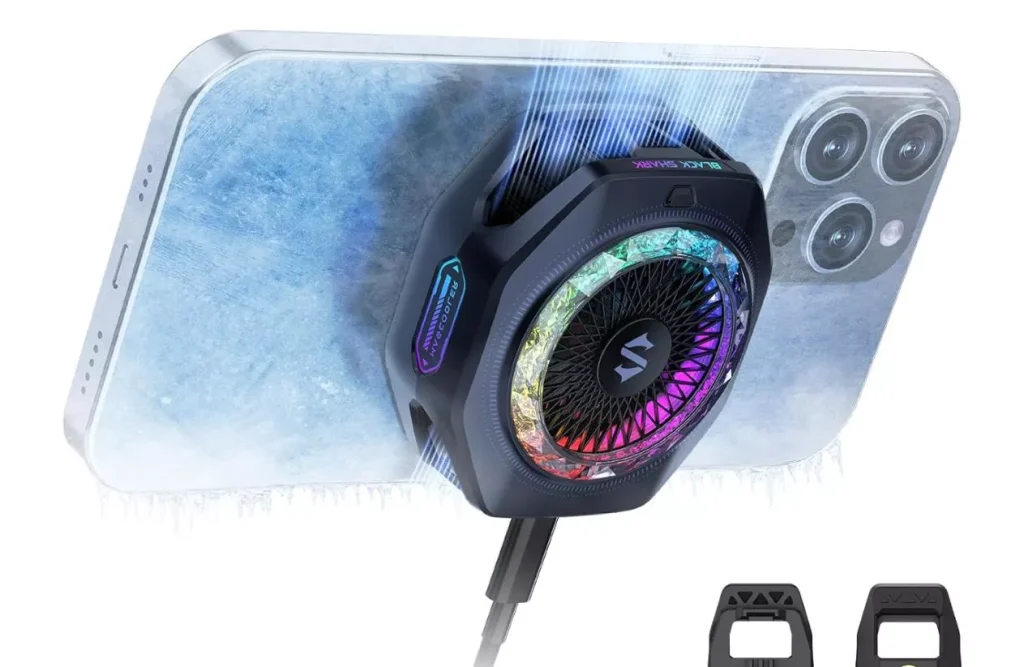
If you want the absolute “nuclear option” for heat management, this is it. The Black Shark 5 Pro is a 35W cooling beast that can literally frost over if left running without a phone attached. It uses an advanced ICECOLD Peltier module to drop temperatures by up to 45°C in under half a minute.
Unlike older models that just blew air, this utilizes thermoelectric cooling to pull heat away from your CPU with aggressive efficiency. With a 12N magnetic pull, it snaps onto MagSafe iPhones or Androids with a magnetic case and stays put through the most intense gaming sessions. It’s the gold standard for anyone who refuses to compromise on frames.
Pros:
- Insane Power: 35W output is currently the peak of portable active cooling.
- Smart App Control: Use the Shark Gear app to switch between Silent, Overclock, and Smart modes.
- Fastest Chill: Can reach sub-zero temperatures (up to -20°C) on the cooling tile in seconds.
- Quiet Operation: Even in overclock mode, the fan stays around 28-30dB.
Cons:
- Needs Constant Power: You’ll need a high-wattage power bank or wall plug to hit that 35W peak.
- Premium Price: One of the more expensive units on the market.
- Bulky: It’s a bit thicker than its predecessors, which might bother some grip styles.
Best for iPhone: Razer Phone Cooler Chroma (MagSafe Perfection)
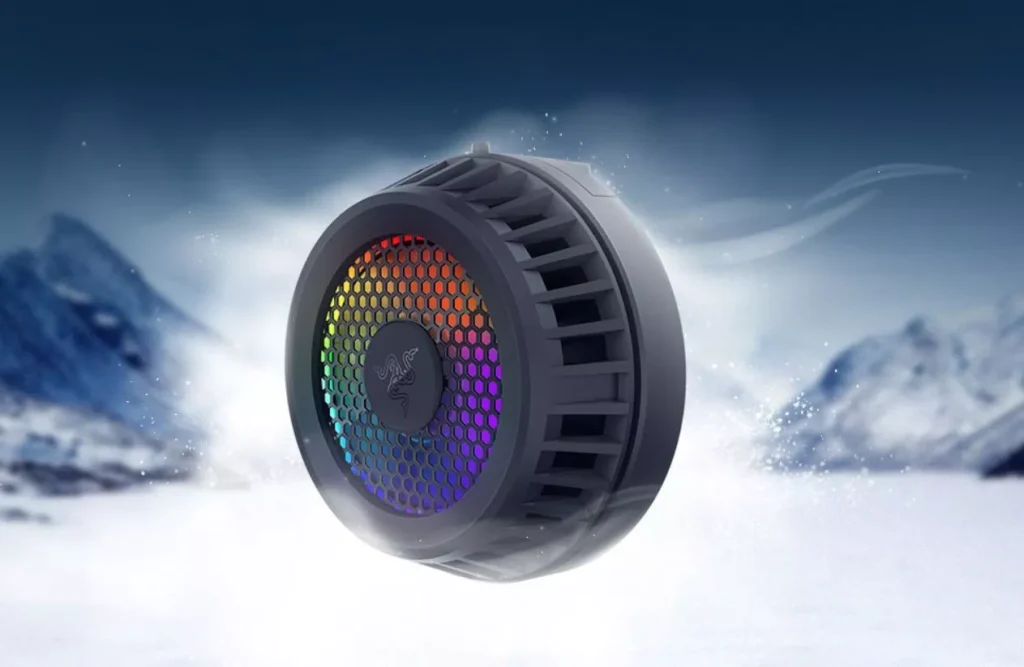
If you’re on iOS, Razer basically perfected the aesthetic and ease of use here. While it doesn’t quite hit the raw wattage of the Black Shark, it is arguably the most seamless experience for iPhone users. It features an electronic Peltier cooling tile with a dedicated heat sink that pulls thermal energy directly through the MagSafe magnets.
The real draw here is the Razer Chroma™ RGB integration. If you’re already in the Razer ecosystem, syncing your phone’s lighting with your mouse or keyboard is a nice touch. More importantly, it reliably stops the dreaded “screen dimming” that happens when iPhones get too hot. It’s quiet, stylish, and fits like it was made by Apple itself.
Pros:
- Native MagSafe Support: Zero clips needed; just snap it onto the back of any iPhone 12 or newer.
- Superior Build Quality: Solid aluminum heat sink and a refined 7-bladed fan.
- Customizable RGB: 12 addressable LEDs that look incredible in low-light gaming setups.
- Boutique App Experience: The BLE (Bluetooth Low Energy) connection makes adjusting fan speeds a breeze.
Cons:
- No Internal Battery: Like most pro-tier coolers, you’ll be tethered to a USB-C cable.
- Fitment Issues: If you use a thick, non-MagSafe case, you’ll have to take it off every time you game.
- Lower Peak Cooling: It’s great for stability, but won’t reach the “frosty” extremes of the Black Shark.
Best Budget: Trilink Semiconductor Cooler (Value for Money)
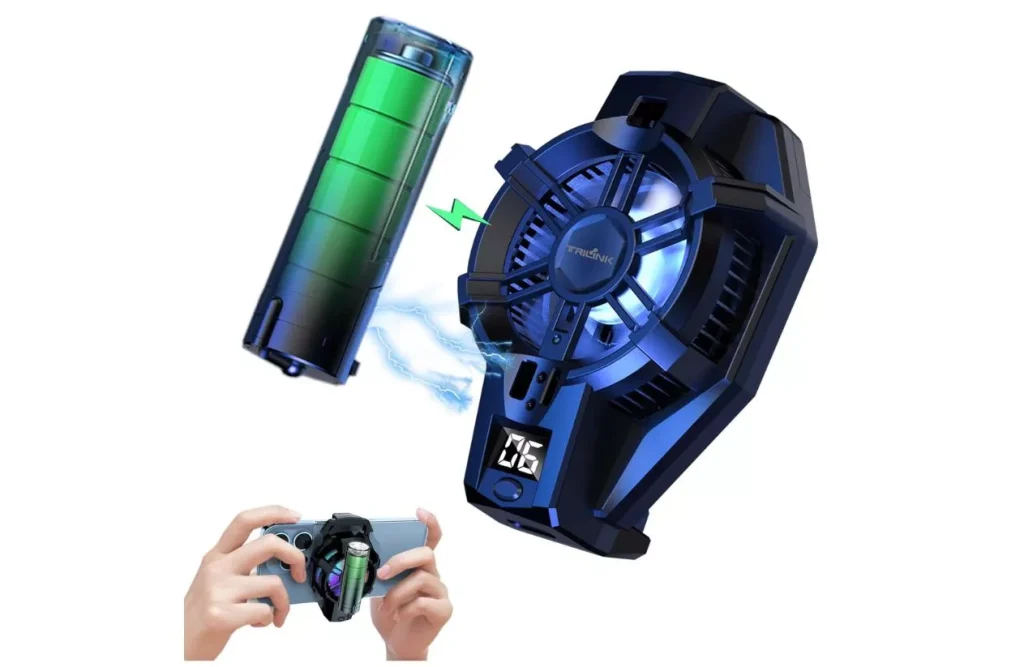
You don’t need to spend flagship money to stop the stutter. The Trilink is a dual-mode semiconductor radiator that punches way above its weight class. While it lacks the fancy app ecosystem of Razer or Black Shark, its thermal conductivity is genuinely impressive for the price.
This is the best phone cooler for the “casual-competitive” player. It features a high-speed fan coupled with a mid-tier Peltier plate that handles heat dissipation efficiently enough to prevent thermal throttling in most titles like PUBG or Wild Rift.
The real standout for a budget unit is the real-time LED temperature display, allowing you to monitor exactly how much heat is being pulled from your device on the fly.
Pros:
- Serious Bang for Buck: Delivers active refrigeration tech at nearly half the price of premium brands.
- Universal Clamp: The spring-loaded arms fit almost any smartphone between 4.5 and 7 inches.
- Live Temperature Display: No guessing games—you see the cooling progress in real-time.
- Lightweight: At only 130g, it won’t make your phone feel like a brick during long sessions.
Cons:
- No App Control: You’re limited to the physical switches for cooling modes.
- Build Quality: Uses more plastic than the Razer or Black Shark models.
- Clip Obstruction: On some phone models, the clamps might sit right on top of your volume or power buttons.
Best for Professional Streamers: Flydigi B8X (Intelligent Temperature Control)
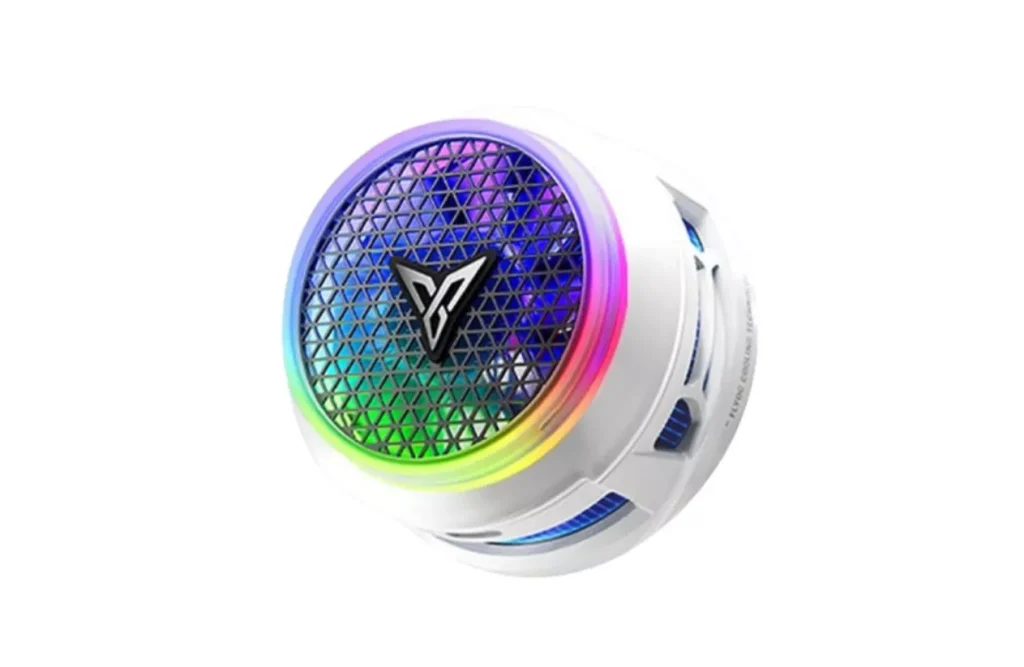
Streaming live adds a massive processing load on top of your gaming, usually causing devices to overheat within 15 minutes. The Flydigi B8X is specifically engineered as a high-performance thermal management tool for this exact scenario. It utilizes a 30W TEC cooling chip and the third-generation FlyOC™ technology, which is a smart frequency conversion system.
Instead of just running at full blast, it provides real-time temperature feedback and adjusts the cooling output dynamically. This prevents the “over-cooling” issue that leads to internal condensation—a common killer of electronics during long, humid streams. At just 105 grams, it’s one of the lightest pro-tier units, ensuring it doesn’t mess with your handheld camera work or grip.
Pros:
- Smart Frequency Conversion: Automatically scales cooling power to save energy and prevent condensation.
- Ultra-Quiet: Features a dual noise reduction system that stays under 35dB, perfect for sensitive microphones.
- Innovative Suction Design: Unlike blower fans that exhaust hot air onto your hands, the B8X pulls air from four sides and exhausts it forward.
- Strong Magnetic Base: Uses high-grade rare-earth magnets for a rock-solid attachment to iPhones and Androids.
Cons:
- Requires 27W+ Power Source: To unlock the full 30W “Overclock” mode, you need a high-wattage PD charger.
- App Dependency: To get the most out of the FlyOC™ automation, you’ll need to keep the Flydigi app active.
Best for Extreme Performance: OnePlus 45W Liquid Cooler (The Nuclear Option)
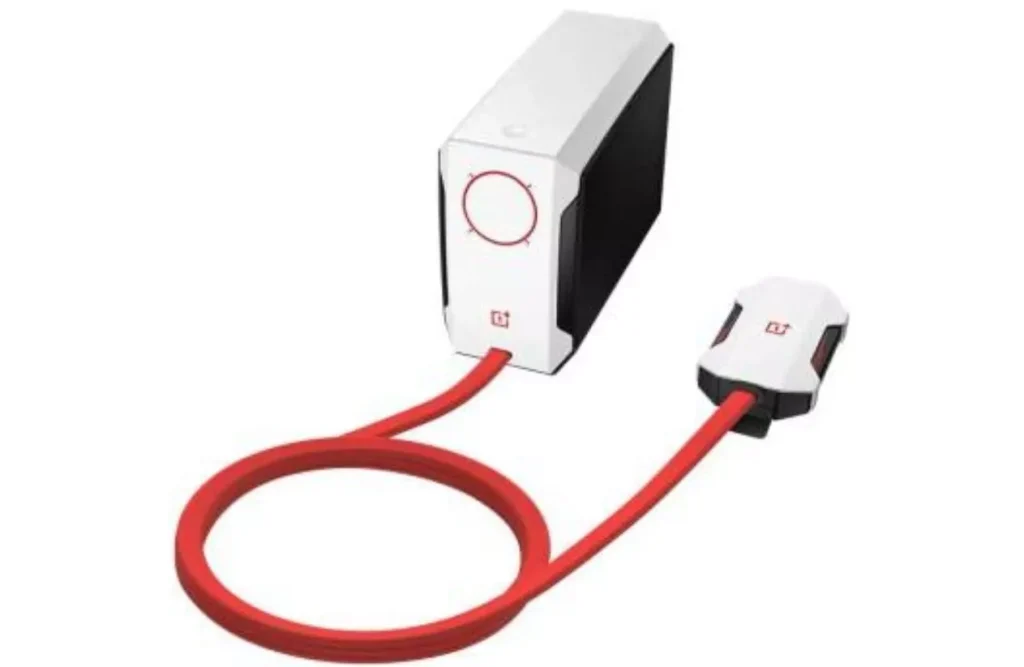
This is the ultimate evolution of phone cooling. While other units rely on air-cooled Peltier chips, OnePlus basically miniaturized a PC water-cooling rig. The setup is split into two parts: a lightweight 75g phone clip and a separate desktop-sized pump/radiator unit. By separating the pump from the phone, OnePlus achieves the most aggressive heat dissipation on the market without adding weight to your hands.
The Active CryoFlux technology inside uses a liquid cooling loop to cycle heat away from the processor and dump it out of the main external unit. If you are a hardcore competitive player or someone who does 4K video rendering on a mobile device, this is the only solution that guarantees zero thermal throttling for 6+ hours of continuous use. It can drop phone temperatures by a staggering 20°C in seconds, essentially turning your device into an ice cube.
Pros:
- Liquid-Cooled Dominance: Most efficient heat transfer method available, beating air-based fans every time.
- Lightweight Grip: Since the heavy components are in the external box, the part you actually hold is incredibly light.
- No Hot Air on Hands: Heat is exhausted away from you at the desktop unit, not through the phone clip.
- Maximum FPS Stability: Zero throttling even in the most unoptimized mobile titles.
Cons:
- Zero Portability: You are physically tethered to a desktop-sized pump unit by a thick red cable.
- High Power Draw: Requires a dedicated 45W+ PD power adapter to operate.
- The “Tether” Factor: It’s great for a desk setup, but impossible to use on the bus or at a cafe.
Active vs. Passive Cooling: What’s the Difference?
If you’ve been browsing for the best phone cooler, you’ve likely seen everything from $5 stickers to $100 liquid-cooled pumps. Understanding the difference between active and passive methods is key to not wasting your money.
Passive Cooling: The Internal Buffer
Passive cooling relies on materials like graphite sheets, graphene stickers, and vapor chambers (VC) built inside your phone. These work by spreading heat across a larger surface area to dissipate it naturally. While they are great for everyday tasks and short gaming sessions, they have a “saturation point.” Once the entire phone body gets hot, passive cooling stops working, and your processor starts to throttle.
Active Cooling: The Forced Refrigeration
Active cooling is where external accessories come in. This involves moving parts—usually a high-RPM fan combined with a Peltier thermoelectric module. These don’t just “spread” heat; they actively pump it away from your device using electricity.
For high-load tasks like Genshin Impact or 4K mobile vlogging, active cooling is essentially non-negotiable. Modern mobile GPUs generate heat faster than a standard metal chassis can dissipate it. An active cooler acts as a continuous heat sink, preventing “heat soak” and allowing you to maintain sustained peak performance for hours rather than minutes.
It’s the difference between a locked 60 FPS and a stuttery 30 FPS mess once your phone hits the 20-minute mark.
Buyer’s Guide: What to Look for Before You Click “Buy”
Not every high-rated radiator is right for your specific setup. Before you drop cash, you need to check these four pillars of mobile thermal management.
Attachment Style: Magnetic vs. Universal Clip-on
- Magnetic (MagSafe): If you have a recent iPhone or an Android with a magnetic ring, go magnetic. It’s cleaner, doesn’t press against your side buttons, and is easier to reposition for better CPU coverage.
- Universal Clip-on: These use spring-loaded clamps. They are “universal” but can be annoying. If your phone has a side-mounted power button or odd volume placement, these might accidentally trigger a restart mid-game.
Power Source: Plug-in vs. Internal Battery
Let’s be real: true active cooling requires a lot of juice.
- Plug-in (USB-C): The pro-tier 27W to 45W coolers almost always require a constant USB-C connection to a PD power delivery source. You’ll be tethered, but you get maximum performance.
- Internal Battery: These are convenient for short trips, but the cooling power is usually capped to save battery. They also add extra weight and can actually generate their own heat while discharging.
Noise Levels: The Streaming Factor
If you play with headphones, fan noise doesn’t matter. But if you’re a streamer or use your phone’s built-in mic, you need to look for a unit with a noise floor under 25dB–30dB. High-end models like the Flydigi B8X use dual noise reduction to keep things quiet enough for a sensitive condenser mic to ignore.
Smart Features: App Control and Displays
2026 is the year of “Smart Cooling.” Look for coolers that offer real-time temperature feedback via an LED display or an app. Being able to toggle between “Silent” (for watching movies) and “Overclock” (for competitive play) ensures you aren’t wasting power or risking condensation when you don’t need maximum thermal dissipation.
Pro Tips: How to Maximize Cooling Efficiency
Getting the best phone cooler is only half the battle; how you use it determines if you actually see a performance boost. Here’s how to squeeze every bit of thermal conductivity out of your setup.
Ditch the Case (Seriously)
It doesn’t matter how powerful your Peltier module is if there is a layer of TPU or leather blocking the path. Most phone cases act as insulators, trapping heat inside the chassis. For the best heat dissipation, your cooler needs a direct thermal interface with the back of the phone. If you’re worried about scratches, look for a magnetic “cooling sticker” that provides a thin metal surface for the radiator to grab onto.
Aim for the CPU “Sweet Spot”
Heat isn’t evenly distributed across your phone. The SoC (System on a Chip) is usually located near the camera module on most modern devices. If you center your cooler on the middle of the phone, you might be cooling the battery while the CPU is still throttling. Reposition your clip or magnetic ring as close to the camera cluster as possible to target the primary heat source.
The Danger of Over-Cooling and Condensation
When you use a high-wattage cooler (like the Black Shark’s 35W mode) in a humid environment, the cooling tile can drop below the dew point. This creates condensation—tiny water droplets that form on the back of your phone.
To avoid short-circuiting your device, use “Smart Mode” or manually lower the power if you aren’t running a heavy load. You want to stay cool, not turn your phone into a puddle.
Conclusion: Is a Phone Cooler Worth It?
The short answer? Yes—but only if you’re pushing your hardware to its limits. For the casual user scrolling social media or watching YouTube, active cooling is overkill. But for anyone serious about mobile gaming, 4K content creation, or high-definition streaming, a dedicated mobile radiator is the only way to protect your battery longevity and maintain peak sustained performance.
Final Verdict by User Type
- For the Hardcore Competitor: Grab the Black Shark 5 Pro. Its 35W output and sub-zero cooling capabilities ensure you stay at peak clock speeds during rank pushes.
- For the iPhone Loyalist: The Razer Phone Cooler Chroma is the most refined choice, offering seamless MagSafe integration and beautiful RGB flair.
- For the Pro Streamer: The Flydigi B8X is your best bet for quiet, intelligent thermal management that won’t ruin your audio or condense on your device.
- For the Desktop Gamer: The OnePlus 45W Liquid Cooler is the undisputed king of stable, long-term cooling if you don’t mind the tether.
Quick Summary: The best phone cooler for 2026 is the Black Shark 5 Pro Magnetic Cooler, thanks to its industry-leading 35W Peltier module and intelligent app-based controls. It effectively eliminates thermal throttling and extends battery life by keeping internal temperatures well within the safe zone during intensive gaming sessions.
Also check our article: Top-Rated Mobile Gaming Accessories for iPhone and Android